PAYMENT METHODS
How to place an order
1. Select your preferred currency RUB (руб.)/USD ($) in the website header
2. Click the "Checkout" button in the cart
3. Check the "Customer details" field. The email must be REAL, as the system will send a message with the file download link to this address
4. Add information in the "Billing address" field and click "Save Billing Address"
5. Click the "Place Order & Pay" button
6. Complete the payment
7. As soon as the payment is received in our account, the system will send you an email with the file download link
How to pay for an order
1. Transfer to card (Russia): 5536 9141 9853 6686
2. Transfer to card (global): 4549 2406 4669 6874
3. Payment via Telegram - available in most countries
If you have any questions - Telegram
Payment via Telegram
1. Go to Settings in the Telegram app

2. Open Telegram Wallet

3. Click the "Transfer" button

4. Click the "Choose Telegram Contact" button

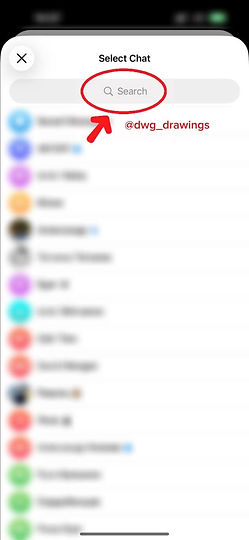
5. In the search field, enter @dwg_drawings
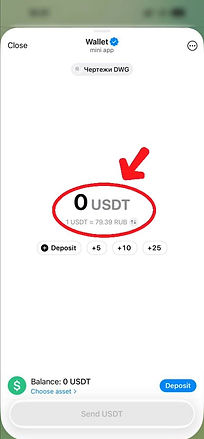
6. Enter the exact order amount in USDT (USDT is a stablecoin, where 1 USDT = 1 USD) . For example, if your order amount is $12.63, enter 12.63 USDT
7. Click the "Send USDT" button
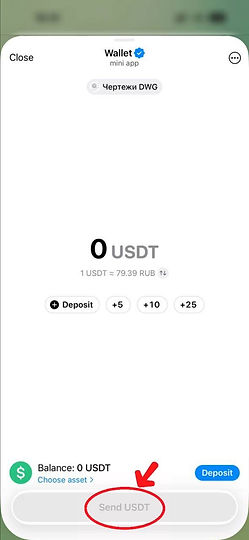
8. If necessary, press the "Deposit" button to fund your account and follow the instructions

Need help? Contact us - Telegram